
The S2B Extender plugin enhances the functionality of the S2B AI Assistant by adding a range of additional features. It is designed to provide users with a more robust and versatile toolset, extending the capabilities of the original platform. The S2B Extender plugin is ideal for those looking to maximize the potential of their S2B AI Assistant, making it a valuable addition for users.
Click here to download plugin.
Generating Downloadable Files with S2B AI Assistant plugin for WordPress
P.S. This feature is implemented into S2B AI Assistant WordPress Plugin of version 1.6.8! If you switch off switch off S2B Extender plugin then you can still use this feature in S2B AI Assistant WordPress Plugin version 1.6.8 and up.
Step 1. Create new assistant in OpenAI dashboard. Read this article on how to create AI assistants manually. Turn ON both file search and code interpreter tools

Step 2. Add instruction for assistant in such style: You are expert in SELECT_YOUR_SUBJECT_OR_AREA. Use provided file as knowledge base. After completing your thinking, convert your answer into Microsoft Word (.docx) file. Generate a file id and link that can be used to download the file. Return the file_id in json response from the Assistant.

Step 3. Add file which you want to be as knowledge base for your assistant
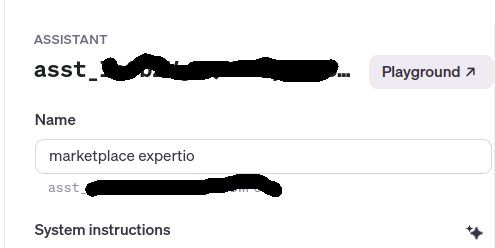
Step 4. Copy Assistant ID
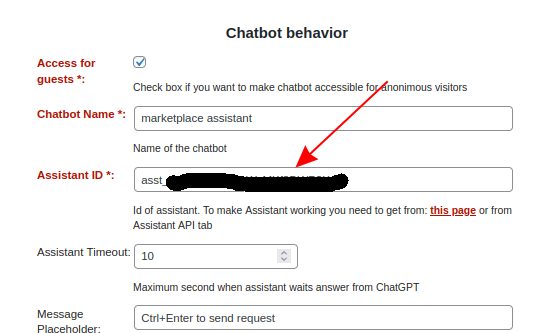
Step 5. Create new Assistant in S2B AI Assistant plugin and paste Assistant ID into it
Check how it works
