WordPress SEO Automation
WordPress Automation (is introduced in version 1.9) includes a set of AI-powered tools that help you analyze and improve content inside WordPress.
You can run tasks immediately or process them in the background using WP-Cron.
Included SEO Agents
- Readability Rewrite (HTML only) — Improves readability and structure while preserving safe HTML.
- SEO Compare (Post vs URL) — Compares your post/page with an external URL and generates SEO improvement suggestions for your content.
- SEO Compare URLs — Compares two external URLs and provides optimization recommendations for the second URL.
How It Works
- Select the agent and fill in the required inputs (post, URLs, model, etc.).
- The plugin fetches/extracts text (post content and/or external page content).
- The AI model analyzes the content and generates a structured SEO report.
- Open the task result to review the output.
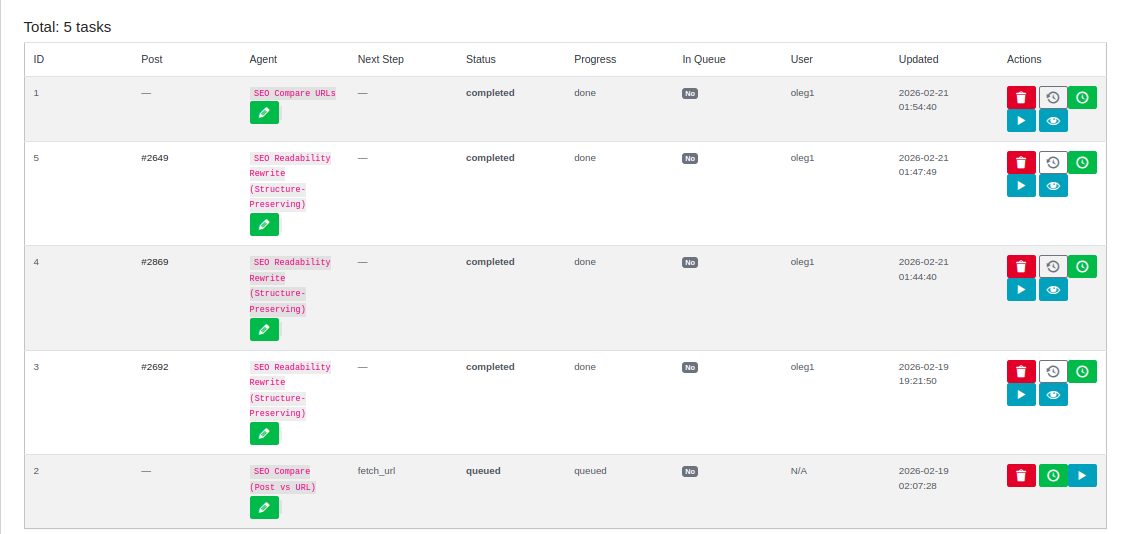
Pro Feature: Multiple Tasks Per Agent
In the free version, you can create and manage one task at a time for each SEO agent.
The Pro version removes this limitation and allows you to create and run
multiple tasks per agent simultaneously. This is especially useful for bulk SEO analysis,
competitor benchmarking, or managing optimization tasks across multiple posts and URLs.
Task Execution Modes
- Manual (Immediate) — runs the task right away when you start it.
- Background Queue (WP-Cron) — adds the task to a queue and processes it automatically.
If WP-Cron is disabled, tasks will remain in queued status and will not process.
Enable WP-Cron
Check your wp-config.php file and make sure WP-Cron is not disabled:
define('DISABLE_WP_CRON', false);If you see this line, WP-Cron is disabled and queued tasks won’t run:
define('DISABLE_WP_CRON', true);
Some hosting providers disable WP-Cron by default. In that case, enable it in hosting settings
or configure a real server cron job to call wp-cron.php.